Account information
Sign in to your account
To start your exclusive shopping experience, you need to sign in. Once signed in, your assortment and prices will be unlocked. Please note: Access to our platform is granted only after we have reviewed and approved your application, and completed the onboarding process for your company account.
Step 1: Click on the account icon in the top menu.

Step 2: Fill in your e-mail address and chosen password.
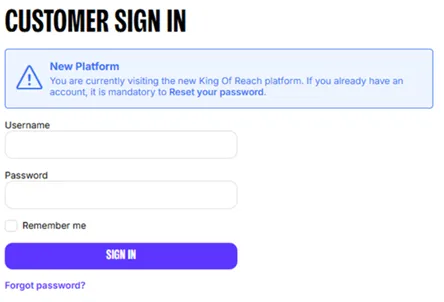
Step 3: Click on the "Sign In" button.
You are now all set-up to start shopping!
Reset your password
Step 1: Click on the account icon in the top menu.

Step 2: Click on Forgot password, you’ll find this underneath the Sign In button.
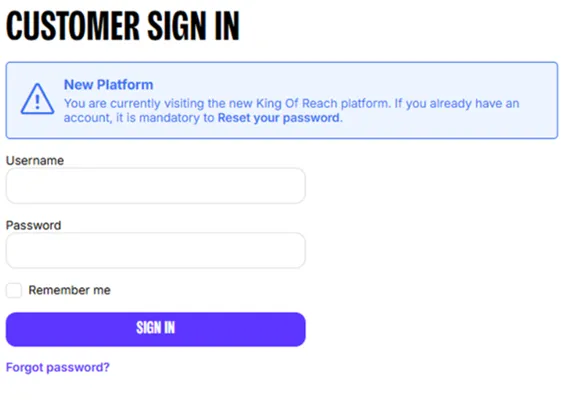
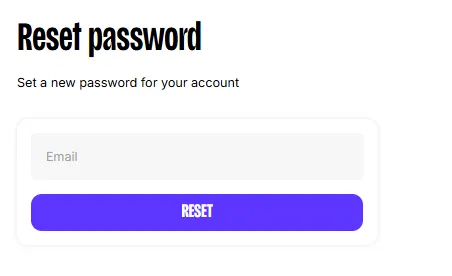
Step 3: Enter your email address and click Reset.
Step 4: Go to your email inbox and click Set a new password.
Important Note: The email may be in your spam or quarantine folder.
Step 5: Enter your new password, confirm it, and click Set a new password.
Step 6: Use your new password to log into King of Reach
Request a business account
Before you can shop at King of Reach, you’ll need a verified account. Follow the steps below to begin the verification process.
Step 1: Click on the account icon, located in the top menu.
Step 2: Click on Register Here
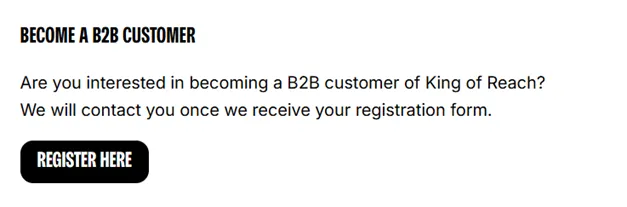
Step 3: Enter your company details, add your request, and click Send request.
We’ll review your application and contact you if we need more information. This can take up to five business days. In the meantime, you can browse our assortment. Once approved, you can start shopping.
Product information
How product pricing works
Prices are shown after you sign in to kingofreach.com and depend on your account and product availability.
If no price is displayed, your account may not be approved yet or the product may not be available to you. In this case, contact your account manager for assistance.
Understand stock availability
King of Reach does not show exact stock levels, but each product includes an availability status. The possible statuses are:
• Restricted products
Not available in your price list due to restrictions. You can add these products to your wish list or contact your account manager.
• Out of stock
Currently unavailable and cannot be ordered. Please choose an alternative or contact your account manager.
• Lead time products
Not currently in stock, but available to order. These products will be delivered with a short lead time.
• Available products
In stock and ready to order. If you request more than the available quantity, we’ll show the maximum orderable amount and any applicable lead time.
Why some products are restricted
Some products may be unavailable in your region due to local sales restrictions. If a product is restricted, the option to order will be disabled.
How to request a product range update:
1. Add the restricted product to your Wish List.
2. Share the list with your account manager to discuss adding it to your range.
How lead times work
Items with a lead time are currently out of stock but remain available for purchase. By ordering now, you secure your place in line; the product will ship to you as soon as it becomes available after a short processing period.
Find product specifications
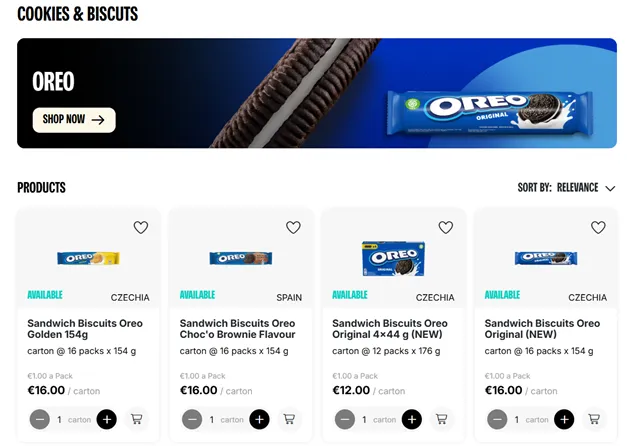
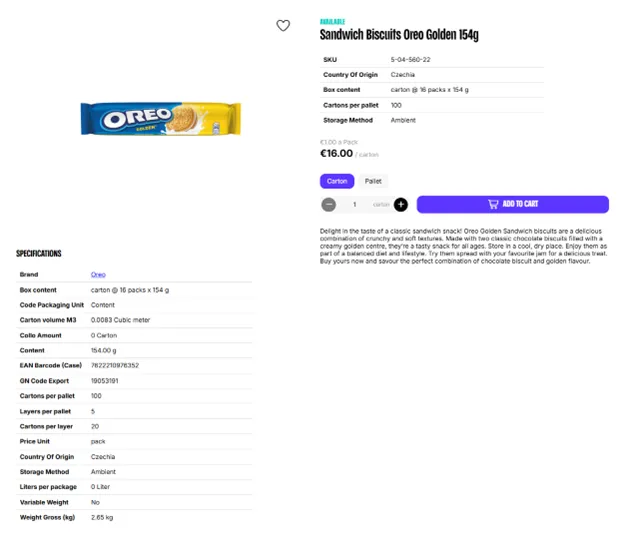
You can find product specifications on the product detail page.
Step 1: Open a product by clicking on the product tile.
Step 2: Key specifications are located next to the product image and below.
Explore brand stories and product collections
Use the Brand Pages on King of Reach to explore our full catalog and brand narratives. It’s a central hub designed to help you learn about specific products and find the right fit for your business needs.
Troubleshoot missing products or categories
Your account manager configures your product range and categories based on supplier approvals and regional market restrictions.
Getting started:
1. Complete registration: Follow the instructions in your welcome email to set your password.
2. Sign in: Access King of Reach to view pricing and products specific to your account.
Troubleshooting visibility: If products do not appear after you sign in, contact your account manager to verify your market permissions.
Understand product limitations
When browsing King of Reach, you may encounter items with specific stock conditions. We use the following categories to help you manage your orders:
In stock with short lead times These products are currently available for purchase. If an order exceeds immediate stock, we will notify you of the total available quantity and the expected lead time for the remaining units.
Stock-limited items (Long lead times) Some products are subject to stricter availability based on supplier constraints. If your order exceeds current stock levels, the system will alert you. For these items, orders are limited to the quantity currently on hand.
ORDERS OVERVIEW
Speed up your ordering process
You can place orders faster by uploading an Excel order file.
Step 1: Sign in to your account.
Step 2: Click on Order By Excel, located in the top menu.

Step 3: Click on Download Excel Order, located in the top right corner
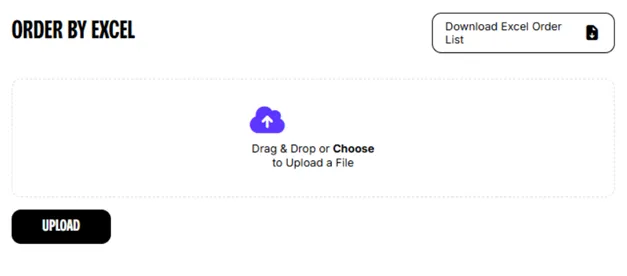
Step 4: Open the downloaded file and enter your desired quantities in Column B. Once finished, save the file.
Important: Do not add, remove, or modify columns. Altering the file structure may cause upload errors.

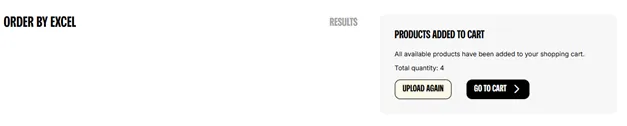
Step 5: Return to the Order by Excel page and drag your saved file into the upload area, or select it from your computer. Click Upload to process the Excel.
Important: Your items will be automatically added to your cart.
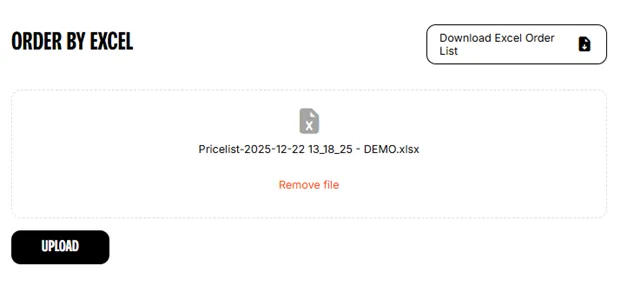
Step 6: Click on Go to Cart to view your order
Cancel an order or item
You can cancel individual items or entire orders as long as they have not yet entered the shipping process.
How to request a cancellation:
• To cancel an order: Contact your account manager directly. Once processed, you will receive a confirmation email. The order will remain visible in your Order History for your records.
• To cancel specific items: Send your request to your account manager. These items will remain visible in your Order History after the cancellation is complete.
Important: Orders are finalized once shipping has started and can no longer be changed or cancelled.
Add products to your cart
You can quickly add items to your shopping cart while browsing categories or using search results.
Step 1: Sign in to your account.
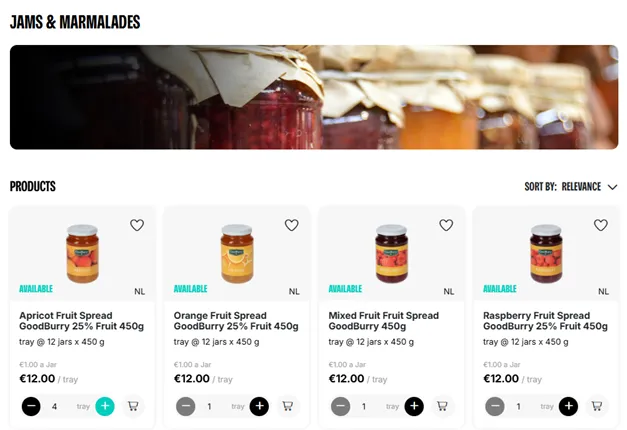
Step 2: Find a product by browsing categories or using the search bar.
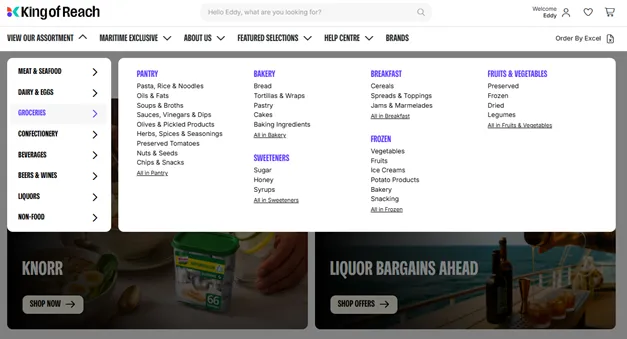
Step 3: Adjust the quantity by clicking the plus (+) icon on the product tile.
Step 4: Add to cart by clicking the shopping cart icon once you have selected the desired quantity.
Download your price list
Yes, you can download your price list easily.
Step 1: Sign in to your account.
Step 2: From the account dropdown menu, select My Price List.
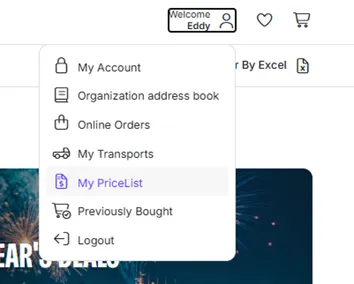
Step 3: Click on Download Excel Order List, located at the top
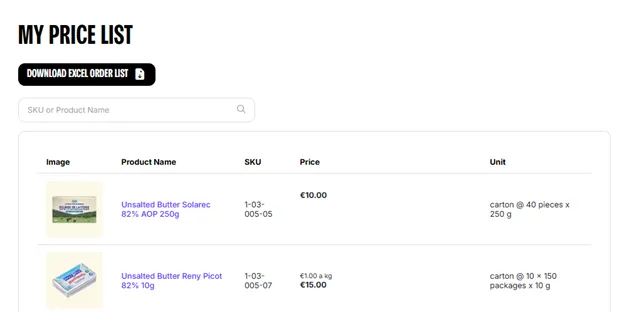
Step 4: Open the file from your device's downloads folder.
Tip: You can enter quantities directly into the downloaded file and upload it later to use in the Order By Excel feature.
Order as a guest
At this time, guest checkout is not available. To place an order on kingofreach.com, you must have a registered account.
How to register for an account
If you would like to become a customer, you can submit a registration request:
1. Click the Join Us button on the homepage.
2. Fill out and submit the registration request form.
3. A sales manager will contact you shortly to complete your account setup.
Once your account is approved, you will be able to view your personalized price list and place orders.
Use your Wish List
The Wish List feature allows you to save products you are interested in for future reference. This makes it easier to track specific items and collaborate with your team.
Add items to your Wish List
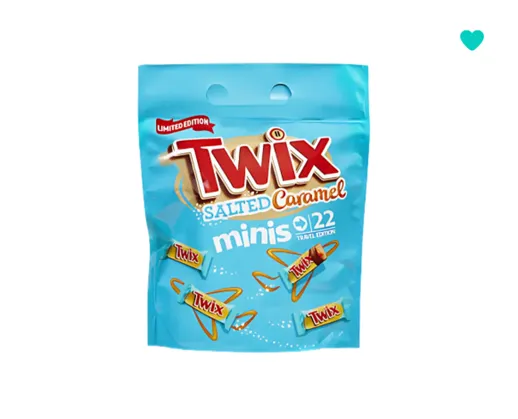
To save a product to your Wishlist, click the heart icon in the top right corner on any product tile or product detail page.
Manage your Wish List
You can access your Wishlist by clicking on the heart icon in the top menu.

Modify your order information
After you submit an order, our team verifies product availability and sends a pro-forma invoice to your registered email address.
How to request changes
If you need to update order details, such as the delivery address, please contact your Account Manager directly. Your manager will update the information and issue a revised pro-forma invoice for your records.
Important considerations
• Shipping status: For security and logistics reasons, orders cannot be modified once they have entered the shipping process.
• Verification: Ensure all changes are confirmed via a new pro-forma invoice before proceeding with payment.
Find and download your invoices
Invoices are generated once your order has been processed. You can access them through your email or by signing in to your account.
Check your email
A copy of your invoice is sent to your registered email address by your account manager as soon as your order is processed.
Download from your account
You can also find and download your invoices directly from the King of Reach website:
Step 1: Sign in to your account.
Step 2: In the dropdown menu under your account name, click My Transports.
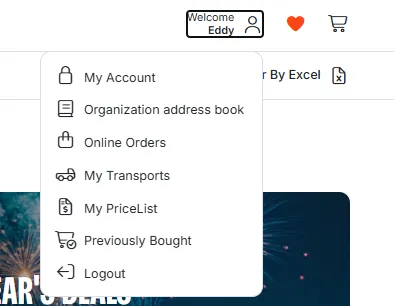
Step 3: Select and open the relevant order number.
Step 4: Your invoice will be available for download on this page.
Transport information
Manage your orders
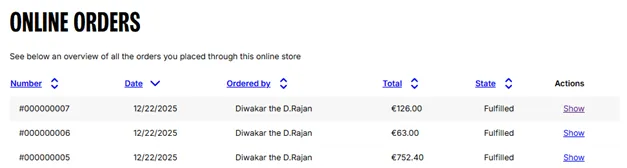
The Online Orders page allows you to view and manage your entire order history in one place. Here, you can find order details, see order totals and view order state.
Accessing Online Orders
Step 1: Sign in to your account.
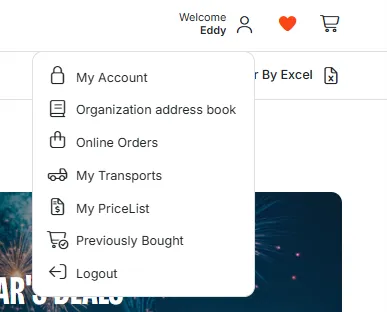
Step 2: In the dropdown menu under your account name, click Online Orders.
Step 3: You can review your complete order history on this page. To see the full details of a specific order, locate the Actions column and select Show.
Find transport information and photos
You can track your shipments and access transport documentation on the My Transports page.
Access transport details and photos
To view your shipment information, follow these steps:
Step 1: Sign in to your account.
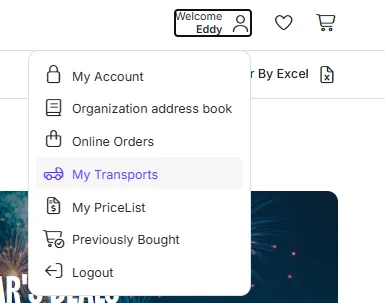
Step 2: From the account dropdown menu, select My Transports.
Step 3: On this page, you can view and download all important transport documents, including:
o Invoices
o Packing lists
o Certificates
o Loading photos
If you can’t find your transport information, please contact your account manager or email [email protected].
Security & Privacy
Privacy Policy
We care about your privacy. We are committed to being transparent about how your personal information is used and shared.
For more details, please review our
Terms & Conditions
Our complete Terms & Conditions are available online. We recommend reviewing them to understand your rights and responsibilities.
Report suspicious activity
We are committed to protecting your account and take threats like fraud, phishing, and spoofing seriously.
Report suspicious activity: If you receive a suspicious email, call, or text message, please report it immediately by emailing [email protected] or contacting your account manager.
When reporting, please include:
• A copy or description of the message.
• Details on how you responded (such as clicking a link or providing information).
Contact
Contact King of Reach
Our support team is available to help you with your account, orders, and product inquiries. You can reach us via email.
• Email: [email protected]
Submit feedback
We’re constantly working to improve your experience and value your input. Whether you have a suggestion for a new feature or want to report a problem, we’d like to hear from you.
How to share your feedback
To share your thoughts on what’s working well or how we can improve, please send an email to:
• Email: [email protected]
What happens next
Your feedback helps us prioritize new features and improve our services. While we aren’t always able to respond to every message individually, we review all submissions and will reach out if we need more information to investigate your report.
Tip: When reporting a technical issue, including a screenshot or the specific order number can help our team resolve the problem faster.
Careers at King of Reach by B&S
We’re always looking for curious, driven individuals ready to grow with us. As part of the B&S family, our team members help shape the future of global distribution.
Explore open roles
You can find all current job openings and internship opportunities on our central careers portal. Visit the B&S Careers website to browse available roles by department or location and submit your application.
View job openings
Why join us?
• Growth opportunities: We invest in your professional development.
• Global impact: Work on a scale that reaches customers worldwide.
• Innovative culture: Join a team that values new ideas and proactive problem-solving.